

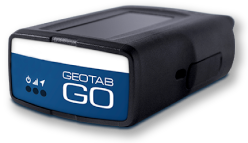

FleetCam Integration with MyGeotab
FleetCam is an AI-powered video telematics solution that combines fleet cameras, GPS data, driver safety technology and remote video access in one connected system. Through its integration with MyGeotab, fleet managers can review video events alongside vehicle locations, maps and trip history without separating camera footage from important telematics context. Depending on the selected hardware and configuration, FleetCam can provide road-facing, driver-facing and exterior camera coverage, AI-assisted event detection, live and historical video, in-cab alerts and driver performance analytics. This gives businesses a clearer understanding of what happens on the road while supporting safer driving, faster incident reviews and more informed fleet management.
Manage Fleet Video and Telematics in MyGeotab
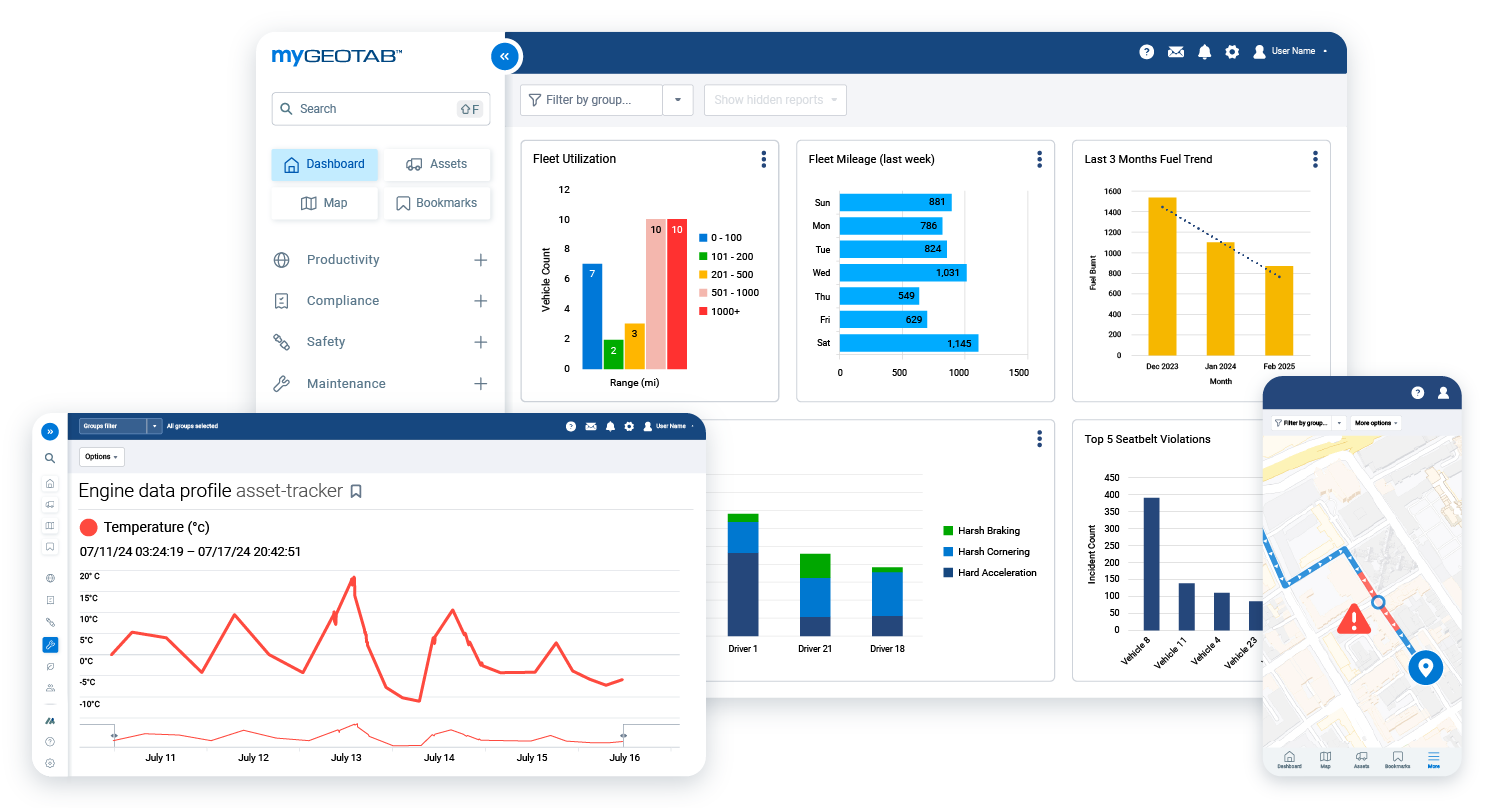
FleetCam’s MyGeotab integration brings camera footage and vehicle data together in a familiar fleet management environment. Managers can access video event playback from MyGeotab Maps and Trip History, connect camera events with location and route information, and use the MyGeotab rules engine to support customized event workflows. The FleetCam add-in also provides access to features such as live streaming, remote wake-up, alerts, driver scorecards and behaviour analytics. This consolidated approach reduces the need to switch between unrelated systems and makes it easier to understand not only what happened, but also where and when it happened.
Identify Risky Driving with AI-Powered Detection
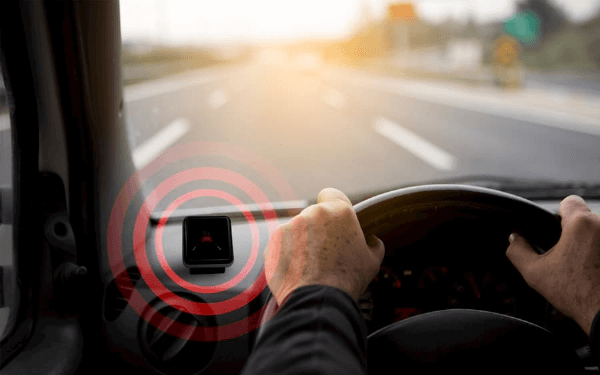
FleetCam can use Advanced Driver Assistance Systems and Driver Monitoring Systems to identify safety risks both inside and outside the vehicle. Depending on the camera and configuration, the system can detect behaviours and conditions such as driver distraction, fatigue, cell phone use, unsafe following distance and lane departure. When a supported event is detected, FleetCam can create a video clip and provide an audible or visual in-cab alert, giving the driver an opportunity to correct the behaviour immediately. This proactive approach helps fleets address risk while the vehicle is operating instead of relying only on footage reviewed after an incident has already occurred.
Expand Visibility with Multiple Camera Angles
FleetCam can be configured with road-facing, driver-facing, side, rear, dome and weather-resistant exterior cameras to cover the areas that matter most to your operation. Available configurations can support multiple cameras per vehicle, with the broader FleetCam solution offering up to eight cameras for comprehensive 360-degree visibility. This flexibility can help fleets monitor blind spots, cargo areas, passenger compartments, equipment and activity around specialized vehicles. Whether your organization operates delivery vans, transport trucks, school buses, waste vehicles or field-service equipment, the camera arrangement can be selected to provide more relevant coverage than a basic windshield-mounted dash camera alone.

Obtain Clear Video Evidence When Incidents Occur
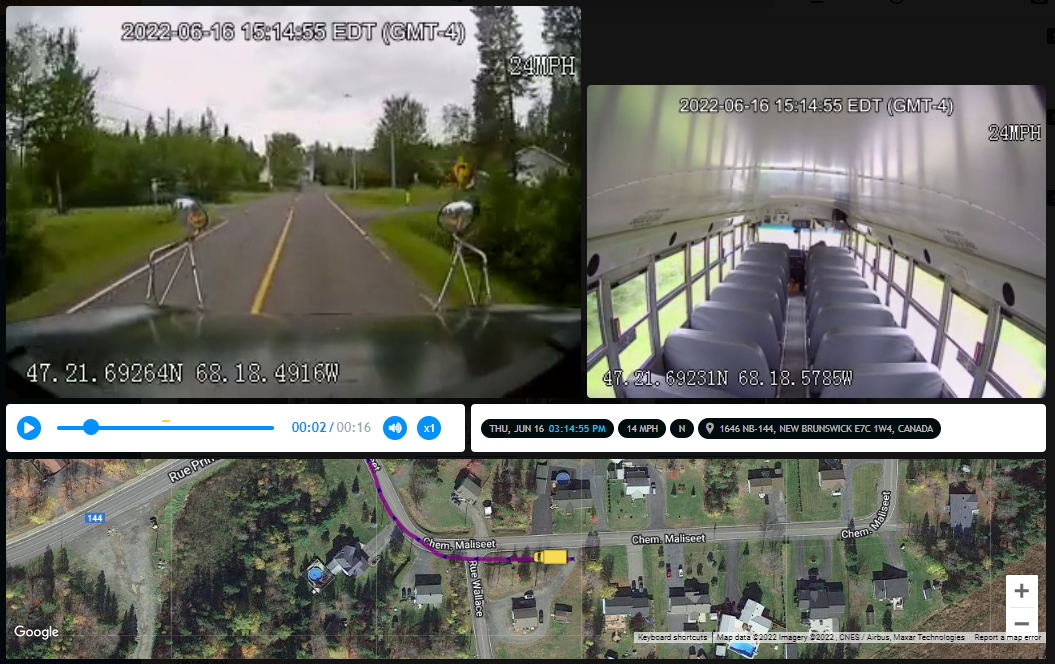
Reliable video can provide valuable context after a collision, complaint, near miss or disputed event. FleetCam automatically records and uploads clips when supported safety events are detected, showing what happened before, during and after the event. High-definition road and driver footage, infrared capability on supported cameras, GPS information and multiple viewing angles can help managers investigate incidents more accurately. This evidence may help protect drivers who were not at fault, respond to inaccurate allegations, support insurance claims and reduce the time spent reconstructing events from incomplete reports. Drivers can also use a dedicated trigger button on supported systems to preserve footage of an important event.
Access Live and Historical Video Remotely
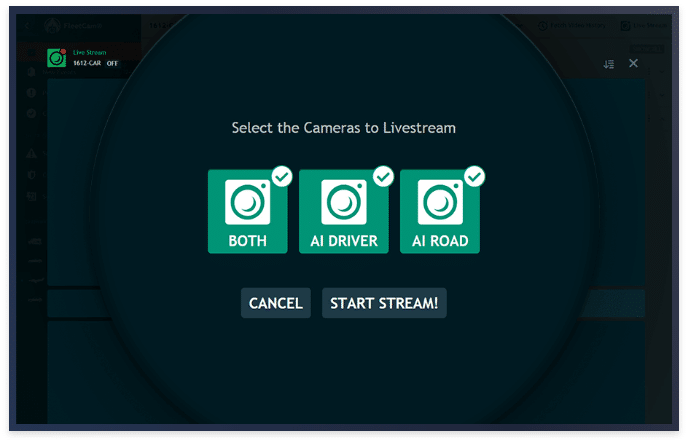
FleetCam allows authorized users to access camera footage without physically retrieving memory cards from the vehicle. Managers can remotely wake supported camera systems, view live video when immediate situational awareness is needed, stream stored historical footage and download important clips for later review. This can be especially useful when responding to a collision, checking conditions around a vehicle, investigating a customer complaint or confirming activity at a job site. Remote access helps teams obtain relevant information sooner, even when vehicles operate across large service areas or do not return to a central facility every day. Availability and streaming limits depend on the selected hardware, plan and cellular connectivity.

Understand Every Event with Visual Trip Context
FleetCam breadcrumb trail snapshots add visual information to a vehicle’s recorded route. The system can capture periodic images from installed cameras and display them along the vehicle’s activity path, allowing managers to see what was happening at a particular location and time. Driving events such as speeding, harsh acceleration, harsh braking or fatigue-related alerts can also be connected to the corresponding point on the route. Instead of reviewing hours of continuous footage, managers can use snapshots and event markers to locate relevant moments more efficiently and then open the associated video for closer review. This creates a clearer, more practical record of daily fleet activity.
Create a More Effective Driver Coaching Program
FleetCam transforms video events into specific, evidence-based coaching opportunities. In-cab alerts can help drivers correct unsafe actions immediately, while recorded clips and performance analytics allow managers to identify repeated behaviours that require further training. FleetCam’s DriveShield platform can also give drivers access to their own events and scorecards so they can review footage, monitor performance, self-coach or dispute an event when appropriate. This can reduce the administrative burden on safety managers while creating a more transparent coaching process. By focusing conversations on recorded events instead of assumptions, fleets can recognize improvement, address recurring risks and build greater driver accountability.

Build a Safer and More Visible Fleet with FleetCam
FleetCam and MyGeotab give fleet managers a connected view of vehicle activity, driver behaviour and on-road events. With configurable camera coverage, AI-assisted risk detection, in-cab alerts, remote video access, incident evidence and integrated driver coaching, the solution can be tailored to the safety and operational requirements of different commercial fleets. GPS Tracking Canada can help you evaluate available FleetCam configurations and select the cameras, features and service options that fit your vehicles and business goals. Contact us to learn more, request pricing or schedule a personalized demonstration of FleetCam integrated with MyGeotab.
Frequently asked questions
What is FleetCam?
FleetCam is a video telematics solution that combines connected fleet cameras, GPS information, AI-assisted event detection, remote video access, and driver coaching tools. It helps fleets improve safety, investigate incidents, and better understand vehicle activity.
How does FleetCam integrate with MyGeotab?
FleetCam integrates with MyGeotab so authorized users can review video events alongside vehicle locations, maps, and trip history. The FleetCam add-in can also provide access to live streaming, alerts, driver scorecards, behaviour analytics, and other supported features.
What types of cameras are available with FleetCam?
Available options can include road-facing, driver-facing, side, rear, dome, and weather-resistant exterior cameras. The appropriate combination depends on the vehicle, operating environment, and areas the business needs to monitor.
How many FleetCam cameras can be installed on one vehicle?
FleetCam configurations can support multiple cameras, with some solutions offering up to eight cameras per vehicle. The exact number depends on the selected FleetCam hardware, package, and installation requirements.
Can FleetCam provide 360-degree visibility?
Yes. A properly configured multi-camera system can provide views of the road, driver, vehicle sides, rear, cargo area, and other important locations. This expanded coverage can help fleets monitor blind spots and obtain a more complete record of an event.
Does FleetCam use artificial intelligence?
Yes. Supported FleetCam cameras use artificial intelligence and machine vision to identify selected driving risks and behaviours. Available detection features depend on the installed cameras, hardware, service plan, and system configuration.
What driver behaviours can FleetCam detect?
Depending on the configuration, FleetCam can identify behaviours such as distraction, fatigue, cell phone use, smoking, and seatbelt non-compliance. It can also detect road-related risks such as unsafe following distance and lane departure.
Can FleetCam alert drivers in real time?
Yes. Supported systems can deliver audible, spoken, or visual in-cab alerts when certain risks are detected. These alerts give drivers an opportunity to correct unsafe behaviour while they are driving.
What events can automatically generate FleetCam video clips?
FleetCam can automatically create clips for configured events such as speeding, harsh braking, harsh acceleration, harsh cornering, potential collisions, and AI-detected driver behaviours. Available triggers depend on the system settings and connected data.
Can MyGeotab rules trigger FleetCam video events?
Yes. FleetCam can integrate with the MyGeotab rules engine, allowing supported Geotab exceptions to be associated with camera events. This helps fleets create video workflows around the safety and operational conditions most relevant to them.
Can fleet managers watch FleetCam video live?
Yes. Authorized users can remotely live-stream video from supported cameras when the vehicle, camera system, cellular connection, and service plan allow it. Live streaming is intended for specific operational or emergency situations rather than continuous surveillance.
Can FleetCam retrieve historical video remotely?
Yes. Fleet managers can stream or download supported historical footage without physically removing the camera’s memory card. The footage available for retrieval depends on camera storage, recording settings, connectivity, and how much time has passed.
What are FleetCam breadcrumb trail snapshots?
Breadcrumb trail snapshots are periodic camera images associated with points along a vehicle’s recorded route. They help managers quickly review visual context for a particular location and time before opening the corresponding video.
Does FleetCam record video at night?
Supported FleetCam cameras provide low-light or infrared capabilities for clearer footage at night or inside dark vehicle cabins. Night-vision performance depends on the selected camera and how it is installed.
Are exterior FleetCam cameras suitable for harsh conditions?
FleetCam offers rugged exterior camera options designed for demanding fleet environments. The applicable weather-resistance rating and operating specifications depend on the particular camera model.
Can FleetCam help investigate collisions?
Yes. FleetCam footage can provide visual evidence showing what occurred before, during, and after a collision or safety event. When combined with GPS, time, location, and telematics data, this can support a more accurate incident investigation.
Can FleetCam help address false claims?
FleetCam footage may help a business respond to inaccurate complaints, disputed collisions, or fraudulent claims by providing objective visual evidence. The outcome of a claim still depends on the available evidence, applicable laws, and the insurer’s investigation.
How does FleetCam support driver coaching?
FleetCam turns recorded safety events into specific coaching opportunities. Managers can use video clips, event details, analytics, and driver scorecards to identify patterns, discuss risky behaviour, and recognize improvement.
Does FleetCam protect driver privacy?
FleetCam can be configured with different camera arrangements, including road-facing-only and road-and-driver options. Privacy settings, camera placement, audio recording, and access permissions should be selected according to company policies and applicable Canadian privacy and employment requirements.
What types of fleets can use FleetCam with MyGeotab?
FleetCam can support many commercial fleets, including transportation, delivery, construction, field service, waste management, towing, public transportation, and school transportation operations. Contact us to discuss your vehicles, safety objectives, and the FleetCam configuration that best fits your fleet.

Check Pricing
All of our GPS tracking solutions are customized for your business and tailored to your budget...

Return on Investment
At GPS Tracking Canada, we understand that every company benefits from GPS Tracking in different ways...

Request a Demo
Get a live one-on-one demonstration from GPS Tracking Canada. See for yourself how customized...
For more information, or to schedule a demo or an installation,
call us toll free at 1.877.477.0987