

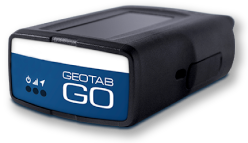

Monitoring Speeding in Geotab
Speeding is one of the most common and most preventable fleet risks. Geotab gives you three layers of control in one platform: posted road speed to measure drivers against the actual limit, exception reports and alerts to tell you when a rule is broken, and in-cab alerts to correct the driver in the moment.

Posted road speed: measure drivers against the real limit
Geotab compares each vehicle’s speed to the posted speed limit of the road it is on. That means you can build rules around how far over the limit a driver is, not just how fast they are going.
To get the most complete limit data available, Geotab combines two map sources, NAVTEQ and OpenStreetMap, using an algorithm that fills gaps in each dataset. It also uses driving context, such as where the vehicle was just before and where it goes next, to lock onto the correct road. This helps tell a highway apart from the feeder road beside it.

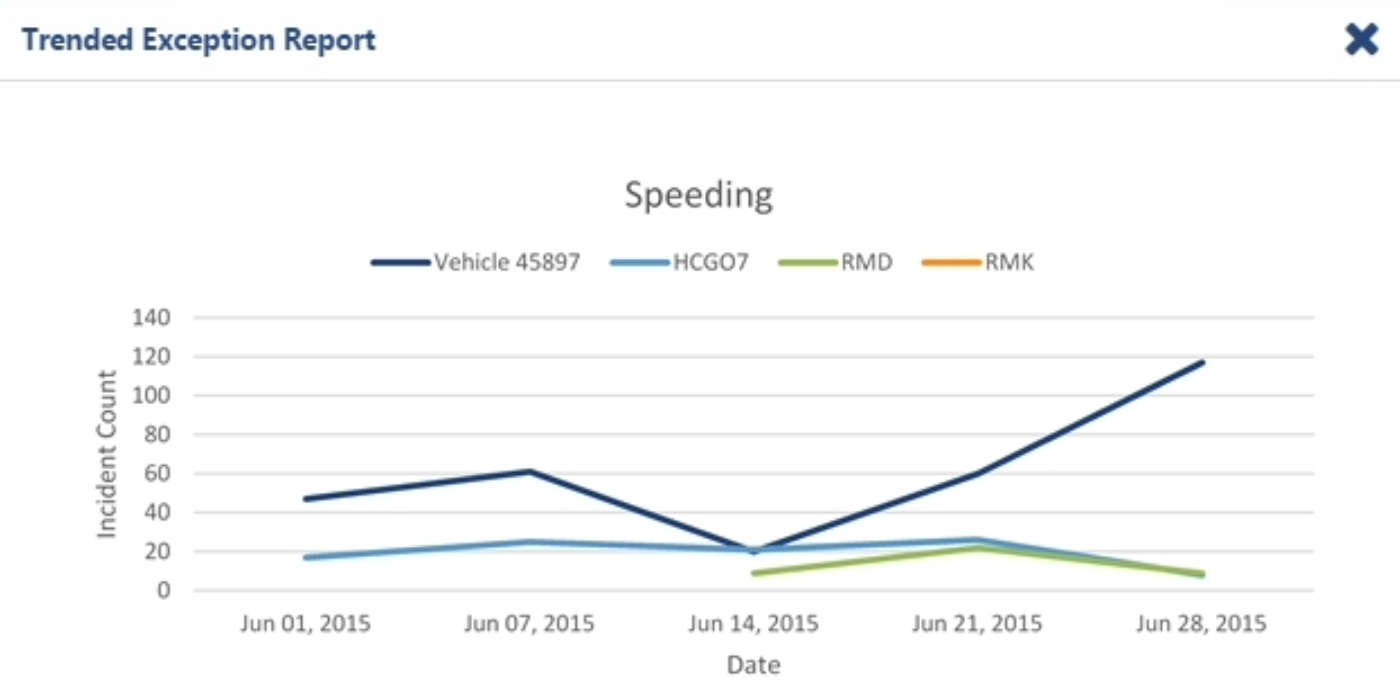
Exceptions and reporting: see every violation in context
When a vehicle breaks a speeding rule, MyGeotab records it as an exception event. You can review it several ways:
- Trips History: exclamation-triangle markers in the colour of the rule appear in the trip log, and the vehicle’s path on the map changes to the rule colour wherever the rule was broken.
- Speed Profile: an in-system report that graphs the vehicle’s speed against the road limit so you can see exactly where and how long it was over.
- Exceptions Detail Report: pull the details for any time period and export them to Excel or PDF for managers, insurers or driver reviews.
- Real-time notifications: send events instantly to a list of recipients by email or in-system, or pull them into your own tools through the MyGeotab Data Feed API.
Pair these with the Geotab alerting system so the right person hears about serious speeding as it happens.
In-cab alerts: correct the driver before it becomes a report
An ounce of prevention beats a pound of cure. The Geotab device can beep inside the vehicle whenever the driver goes over a speed you choose, and it keeps beeping until they slow down below that threshold. Drivers get immediate feedback with no manager involved, which is the foundation of an effective driver coaching program.
Good to know: The speed threshold for the in-cab beep is set on the device and is separate from the posted road speed. Use it for a fixed ceiling (for example, a company-wide maximum), and use posted-speed rules in MyGeotab to measure behaviour against the actual road.
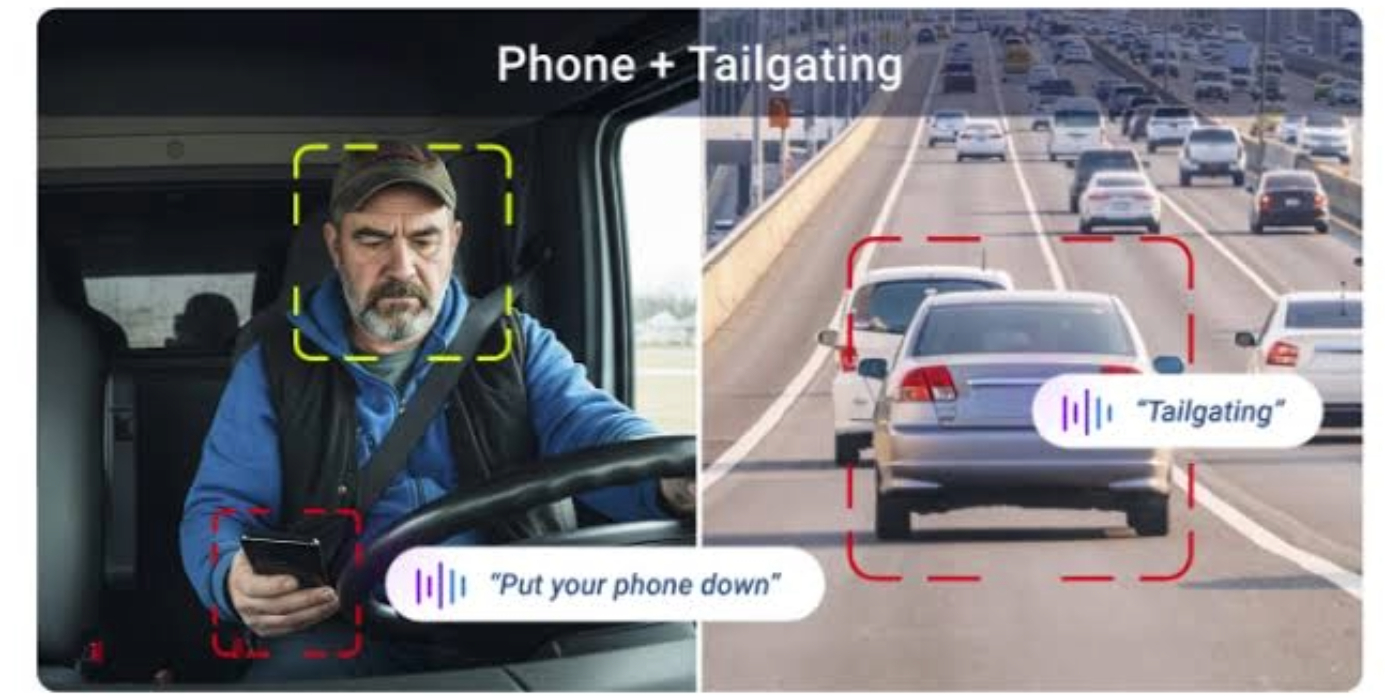
Build speeding rules that fit your fleet
MyGeotab rules continuously check incoming GPS and telematics data against conditions you define. You can switch on a built-in stock rule for a quick start, or clone it into a custom rule to match your policy. Custom rules can be read in plain English in the rule editor or written in the advanced conditions editor.
Examples of what you can set up
- Over the posted limit by a margin: for example, trigger only when the vehicle is more than 15 km/h over the posted limit.
- Ignore low-speed zones: for example, only evaluate speeding when the vehicle is above 70 km/h and also 15 km/h over the posted limit.
- Only flag sustained speeding: add a time or distance condition, such as travelling above 55 km/h for longer than one minute, so brief spikes don’t flood your inbox.

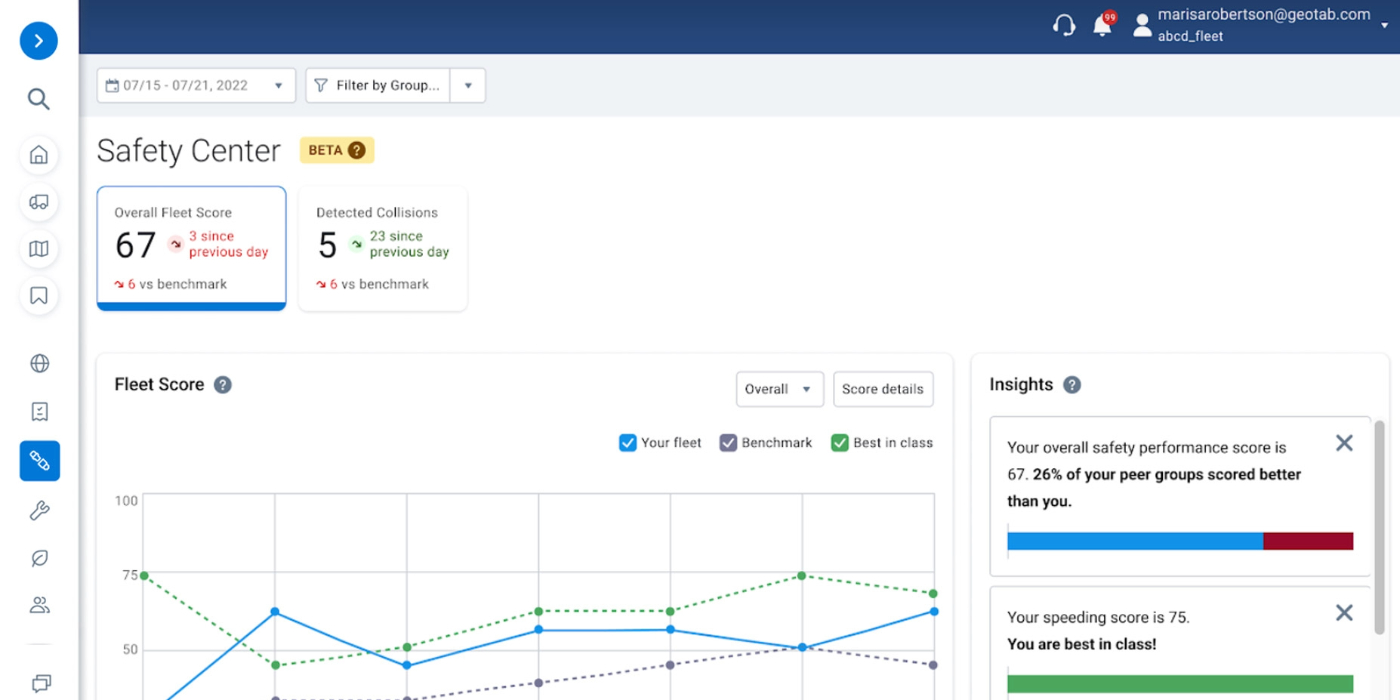
Beyond individual events: speeding as part of fleet risk
Speeding is one of several behaviours that drive collision risk, alongside harsh braking, hard acceleration and sharp cornering. The Geotab Safety Center rolls these into risk analytics and lets you benchmark your fleet’s speeding and other behaviours against similar fleets. Start with the speeding tools on this page, then use the Safety Center to see the bigger picture and prioritize coaching.
Want to Learn More?
Have questions about posted road speed, speeding rules, exception reports, or in-cab alerts? Our team is ready to help. Contact us today to learn how GPS Tracking Canada can help your fleet reduce speeding, coach drivers with confidence, and keep your operations safer and more cost-effective.
Frequently asked questions
How does Geotab know the speed limit of the road?
Geotab combines NAVTEQ and OpenStreetMap posted speed data, then uses driving context, such as where the vehicle was before and where it went next, to match the vehicle to the correct road. This helps it tell a highway apart from the service road beside it.
How accurate is Geotab's posted road speed?
Geotab reports that posted road speed can be relied on for about 99% of trips. A small share of roads have missing or inaccurate limits, so it is smart to double-check important exceptions before acting on them.
What is the difference between a speeding exception and an alert?
An exception is the record MyGeotab creates when a vehicle breaks a rule, such as speeding. An alert is the notification sent about that event. You can review every exception in reports at any time, and choose which ones also notify your team.
Can I be notified in real time when a driver is speeding?
Yes. Rule events can be sent immediately by email or within the system to the recipients you choose. The Geotab device can also beep inside the vehicle so the driver knows right away.
Does the in-cab beep use the posted speed limit?
No. The in-cab speed threshold is a fixed speed set on the device. Rules that compare speed to the posted limit are configured in MyGeotab.
Should I use in-cab alerts, posted-speed rules, or both?
Using both gives you the most complete coverage. The in-cab beep sets a fixed ceiling, such as a company-wide maximum, and corrects the driver in the moment. Posted-speed rules in MyGeotab show who is going over the actual limit and by how much.
What speeding reports does Geotab include?
Three main tools cover most needs. Trips History marks speeding events on the trip log and map. Speed Profile graphs a vehicle’s speed against the road limit. The Exceptions Detail Report lists violations for any time period and exports to Excel or PDF.
Can I see exactly where a vehicle was speeding?
Yes. In Trips History, exclamation-triangle markers appear in the colour of the rule, and the vehicle’s path on the map changes colour wherever the rule was broken. The Speed Profile report then shows how long the vehicle was over the limit.
Can I export speeding reports?
Yes. The Exceptions Detail Report can be pulled for any time period and exported to Excel or PDF, which is handy for managers, insurers and driver reviews.
Can I customize what counts as speeding?
Yes. You can build rules around how far over the posted limit a vehicle is, set a minimum speed so low-speed zones are ignored, and add time or distance conditions so only sustained speeding is flagged. For example, you might trigger only when a vehicle is more than 15 km/h over the posted limit.
Do I have to build speeding rules from scratch?
No. You can switch on a built-in stock rule for a quick start, or clone it into a custom rule that matches your policy. Custom rules can be written in the plain-English rule editor or in the advanced conditions editor.
Why am I getting too many speeding events, and how do I fix it?
The usual cause is a threshold that is too low or a rule that flags very brief spikes. Raising the margin over the posted limit and adding a time or distance condition, such as travelling above a set speed for longer than one minute, keeps the report focused on obvious or dangerous violations.
If I change a speeding rule, will I lose my past events?
Editing an existing rule removes its historic events, because they may no longer be valid under the new settings. You can reprocess a reasonable date range to rebuild them. Large requests are generally processed after hours, so plan ahead and ask us before changing a rule you rely on for reporting.
Can I send speeding data to other software?
Yes. Rule events can be pulled into your own tools through the MyGeotab Data Feed API, in addition to being sent as email or in-system notifications.
Can I use speeding exceptions for driver coaching or disciplinary conversations?
Yes, exception reports and Speed Profile give you specific events to review with a driver, and in-cab alerts give feedback with no manager involved. Because a small share of posted speed data can be missing or inaccurate, validate any exception that could lead to discipline before you act on it.
How does speeding monitoring connect to the Geotab Safety Center?
Speeding is one of several behaviours that drive collision risk, along with harsh braking, hard acceleration and sharp cornering. The Safety Center rolls these into risk analytics and lets you benchmark your fleet against similar fleets. Start with the speeding tools, then use the Safety Center to see the bigger picture and prioritize coaching.
Can GPS Tracking Canada help me set up speeding rules?
Yes. Our team can help you choose a sensible starting rule, fine-tune it after the first few weeks of data, and walk you through rule changes so you don’t lose reporting history by accident. Contact us to get started.

Check Pricing
All of our GPS tracking solutions are customized for your business and tailored to your budget...

Return on Investment
At GPS Tracking Canada, we understand that every company benefits from GPS Tracking in different ways...

Request a Demo
Get a live one-on-one demonstration from GPS Tracking Canada. See for yourself how customized...
For more information, or to schedule a demo or an installation,
call us toll free at 1.877.477.0987